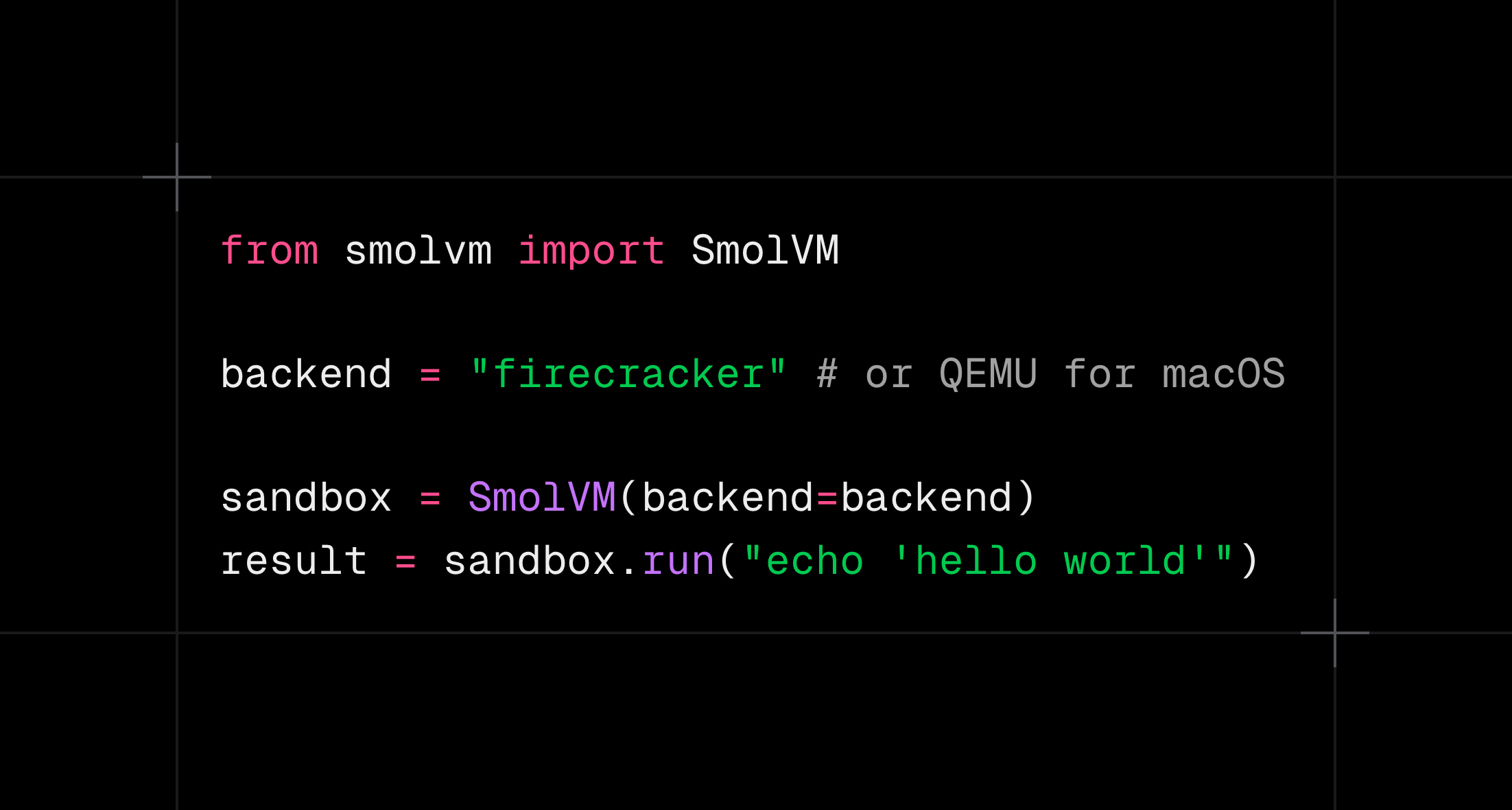
If you searched for Firecracker macOS, here is the direct answer:
Firecracker does not run natively on macOS.
Firecracker requires Linux and access to KVM through /dev/kvm. macOS exposes a different virtualization interface called Hypervisor.framework, so installing the Firecracker binary on a Mac does not give it the host API it needs.
That does not mean you need a separate development stack.
With SmolVM, you can run the same sandbox workflow with QEMU on macOS, then select Firecracker when the code moves to a Linux KVM host. The backend changes. Your test commands and agent integration do not have to.
Why Firecracker cannot run directly on macOS
Firecracker is a virtual machine monitor built for Linux hosts. It uses KVM, the Linux kernel’s hardware virtualization interface.
A Firecracker host therefore needs:
- Linux
- a supported x86_64 or ARM64 CPU
- hardware virtualization enabled
/dev/kvmavailable to the runtime user
macOS has hardware virtualization, but it exposes it through Hypervisor.framework, not KVM. The interfaces are not interchangeable.
This is a host limitation, not a guest limitation. A Linux guest can run on both systems. The difference is which virtual machine monitor starts it:
macOS host  -> QEMU -> Hypervisor.framework -> Linux guest
Linux host  -> Firecracker -> KVM           -> Linux guest
Running a Linux VM or Docker container on your Mac does not automatically solve this. Firecracker needs KVM on the machine that owns the hardware virtualization interface. Nested virtualization may be possible in specialized environments, but it is not the normal or reliable local macOS workflow.
The practical SmolVM workflow
SmolVM selects a backend based on the host:
- macOS: QEMU
- Linux: Firecracker
On macOS, QEMU uses Hypervisor.framework for hardware acceleration. On Linux, Firecracker uses KVM.
The complete backend change is one line
Here is a minimal sandbox test for local macOS development:
from smolvm import SmolVM

with SmolVM(os="alpine", backend="qemu") as vm:
    result = vm.run("uname -a")
    print(result.stdout)
To run the same workload with Firecracker on a Linux KVM host, change only the backend:
-with SmolVM(os="alpine", backend="qemu") as vm:
+with SmolVM(os="alpine", backend="firecracker") as vm:
The guest OS, command, return value, and surrounding application code stay the same. SmolVM changes how the isolated machine is launched.
Start by installing QEMU and SmolVM on your Mac:
brew install qemu
pip install smolvm
smolvm doctor
smolvm doctor should report QEMU as the selected backend on Darwin.
Now create a local test sandbox explicitly with QEMU:
smolvm sandbox create \
  --name backend-test \
  --os alpine \
  --backend qemu

smolvm sandbox ssh backend-test
Inside the sandbox, run the setup and test commands your workload needs:
uname -a
apk add --no-cache python3
python3 -c "print('sandbox test passed')"
Then leave and delete it:
exit
smolvm sandbox delete backend-test
On a Linux KVM host, run the same workflow and change one flag:
smolvm sandbox create \
  --name backend-test \
  --os alpine \
  --backend firecracker
The guest workload stays the same. The host backend changes from QEMU to Firecracker.
Use one Python test across both backends
For application tests, keep backend selection outside the test logic:
import os

from smolvm import SmolVM

backend = os.getenv("SMOLVM_BACKEND", "auto")

with SmolVM(os="alpine", backend=backend) as vm:
    result = vm.run("printf 'backend test passed'")
    assert result.stdout == "backend test passed"
Run it on your Mac with QEMU:
SMOLVM_BACKEND=qemu python test_sandbox.pyRun the same file on Linux with Firecracker:
SMOLVM_BACKEND=firecracker python test_sandbox.pyIf you leave the value as auto, SmolVM chooses QEMU on macOS and Firecracker on supported Linux hosts.
This is the useful abstraction boundary: your application asks for a sandbox, while deployment chooses the virtual machine monitor.
What remains portable
The following workload-level behavior should be tested on both backends:
- guest operating system and packages
- shell commands and exit codes
- files written inside the sandbox
- environment variables
- network access required by the workload
- agent tool behavior
- application startup and health checks
SmolVM uses the same public Python interface across QEMU and Firecracker, so most agent and command-execution code can stay backend-independent.
For the closest comparison, pin the same:
- SmolVM version
- guest OS and image release
- CPU architecture
- memory allocation
- disk allocation
- test command
Do not compare an ARM64 Ubuntu guest on a Mac with an x86_64 Alpine guest in production and call that backend parity. You changed several variables at once.
What still needs Linux testing
QEMU on macOS is a good development path, but it is not a complete substitute for a Firecracker test.
Before deploying, run a Linux integration job that covers:
-
KVM access
Confirm
/dev/kvmis present and accessible to the runtime user. -
Firecracker installation
Run
smolvm setupand thensmolvm doctoron the target Linux image. -
Networking
Firecracker networking on Linux uses host networking facilities that differ from QEMU’s macOS path.
-
Control channel
Test the same SSH or vsock path you intend to use in production.
-
Lifecycle operations
Exercise stop, restart, pause/resume, and snapshots if your application depends on them.
-
Performance
Measure time-to-interactive and tail latency on the actual production instance type. Laptop measurements do not predict cloud host density.
A small Linux KVM integration runner catches the host-specific failures that a Mac cannot reproduce.
Can you use libkrun on macOS instead?
SmolVM also has an explicit libkrun backend. On macOS, libkrun uses Hypervisor.framework rather than KVM.
That makes libkrun interesting when you want a smaller embedded virtualization path on a Mac. It still does not turn Firecracker into a macOS application, and its current SmolVM lifecycle support differs from Firecracker. In particular, pause, resume, and snapshots are not yet available through the SmolVM libkrun backend.
Use it deliberately and test the operations your application requires:
brew tap libkrun/krun
brew install libkrun/krun/libkrun
smolvm doctor --backend libkrun
Then select it explicitly:
smolvm sandbox create \
  --name krun-test \
  --os alpine \
  --backend libkrun
For the simplest local-to-production workflow today, QEMU on macOS and Firecracker on Linux remain the clearest pair.
Benchmark the backend users actually experience
Do not benchmark only the time required to spawn the VMM process. An agent cannot do useful work at that point.
Measure from sandbox creation until the first command returns. From a SmolVM repository checkout, run:
uv run python scripts/benchmarks/bench.py \
  --backend qemu \
  --only cold-start,tti \
  --iterations 10 \
  --output /tmp/qemu-macos.json
Run the equivalent command on Linux:
uv run python scripts/benchmarks/bench.py \
  --backend firecracker \
  --only cold-start,tti \
  --iterations 10 \
  --output /tmp/firecracker-linux.json
These are useful environment measurements, but they are not a controlled QEMU-versus-Firecracker comparison because the hosts and operating systems differ. Use them to set expectations for each environment, not to announce a universal winner.
For a controlled backend comparison, run both backends on the same Linux host with the same guest image and resource allocation.
Recommended development pipeline
A practical pipeline looks like this:
Developer Mac
  QEMU + Hypervisor.framework
  fast local iteration
          |
          v
Linux CI runner with /dev/kvm
  Firecracker integration test
  networking + lifecycle + benchmark checks
          |
          v
Linux production hosts
  Firecracker
This gives developers a native Mac workflow without pretending the production backend is identical.
Bottom line
Firecracker is not supported natively on macOS because it requires Linux KVM.
You can still develop and test Firecracker-bound workloads from a Mac:
- Run SmolVM with QEMU locally.
- Keep backend selection outside your application logic.
- Switch to
--backend firecrackeron Linux. - Run Linux integration and performance tests before deployment.
You do not need two sandbox APIs. You need one portable workload and a backend-aware test pipeline.